Billable Hours Tracker
An internal tool I built for a few coworkers and me, to track billable hours against our annual target
Overview
At my company, each of us has an annual billable target: a percentage of the hours we have available to work. Our PTO is unlimited, which sounds simple until you try to answer the question everyone actually has. If I take that week off in December, am I still on track?
My first answer was a spreadsheet: a row per week, a column per day, and a running average against the target. It was good at the past and blind to the future. Every formula stopped at today, every week counted as 40 available hours whether it had a holiday in it or not, and nothing in it could say what a week off in December would do. So I built a small web app that could, for me and a few coworkers.
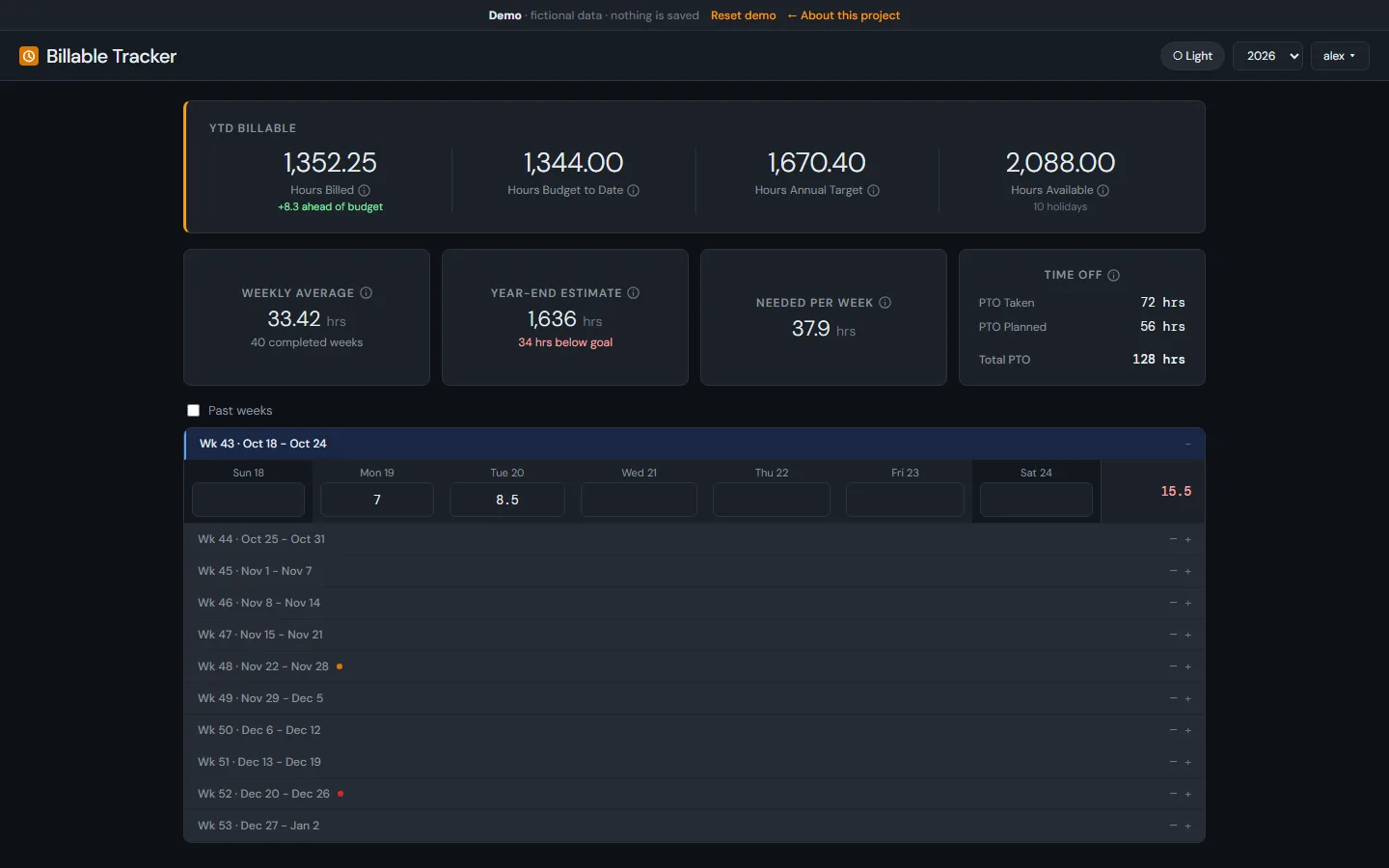
Each person logs their billable hours by day. The app knows the holiday calendar, treats PTO as time you can't bill, and shows three things: where you stand today, where the year lands at your current pace, and what you need each week from here to hit the target. It tracks hours only, with no billing rates or client data, and each person sees only their own numbers.
Try the Demo
 Open the live demo
This is the production app wired to a stand-in API. The API invents a user, Alex, with this year's and last year's hours, a few PTO days already taken, and more planned around the holidays.
Change whatever you like. Nothing you enter leaves your browser, and a reload starts you over.
Open Full Screen- Type hours into this week's days and watch the cards update
- Mark a future day as PTO and see what it does to Needed Per Week
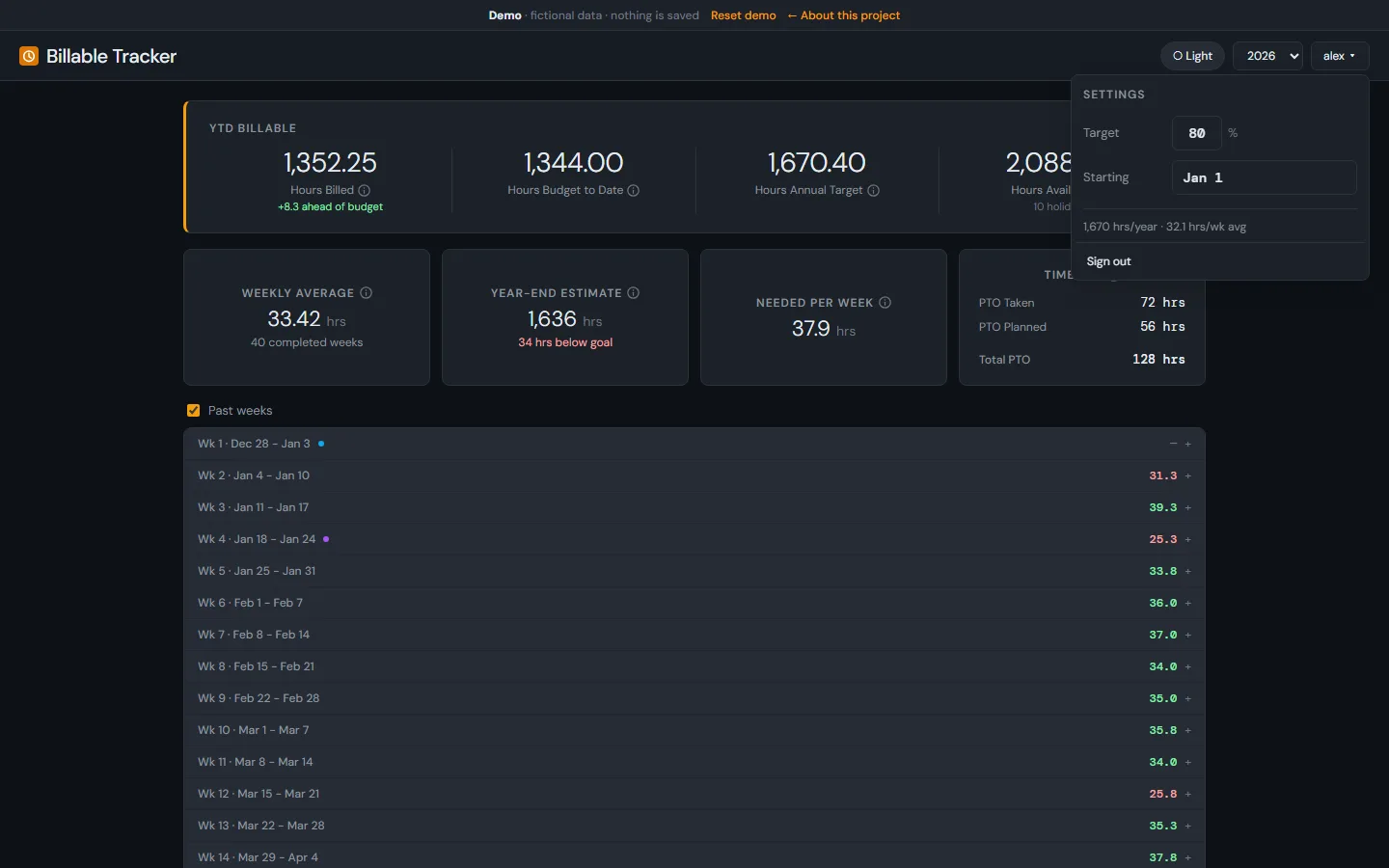
- Open the menu under alex to change the target or the start date
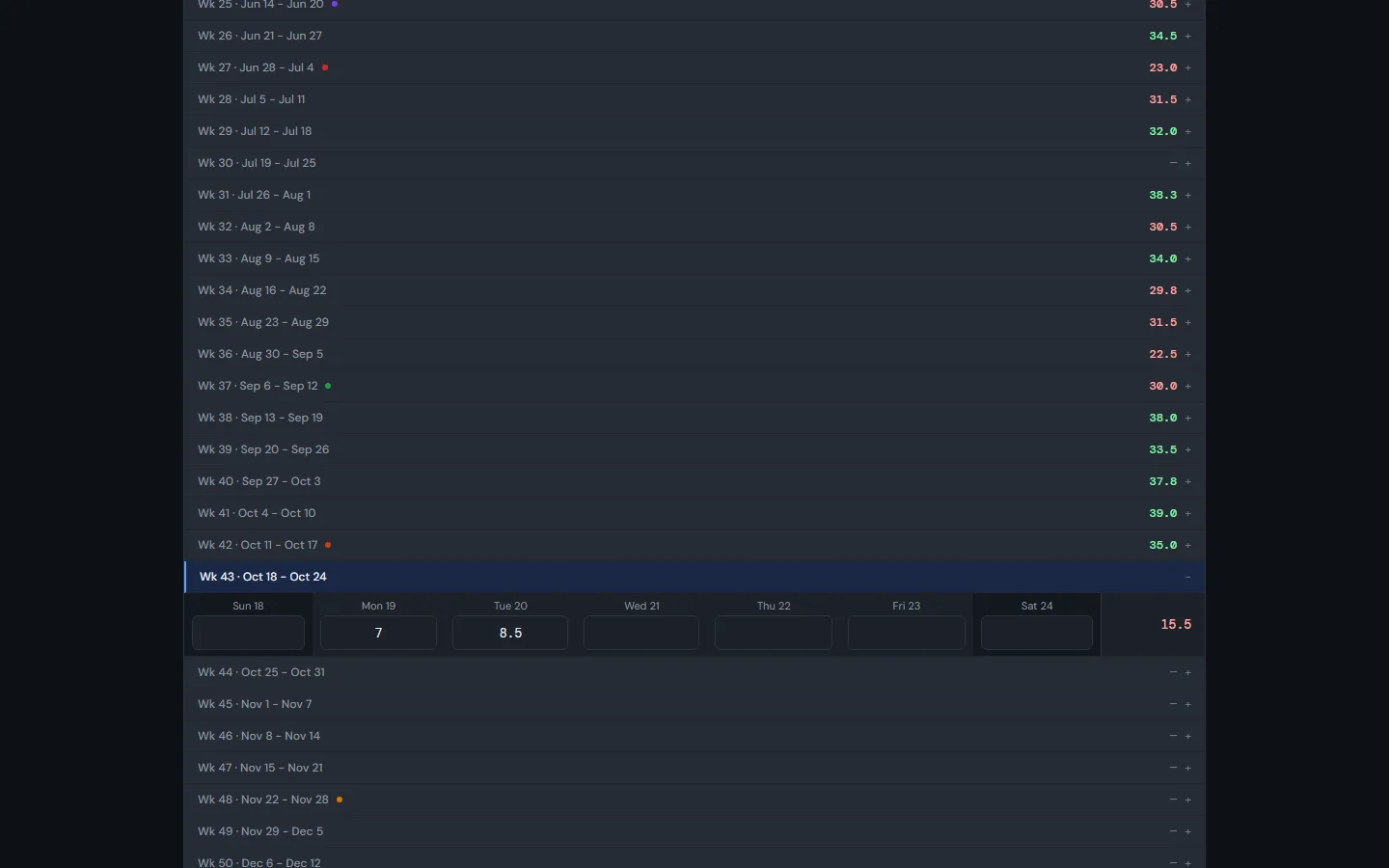
- Turn on Past weeks to see the history, with holidays and PTO marked
- Switch the year to see a completed one
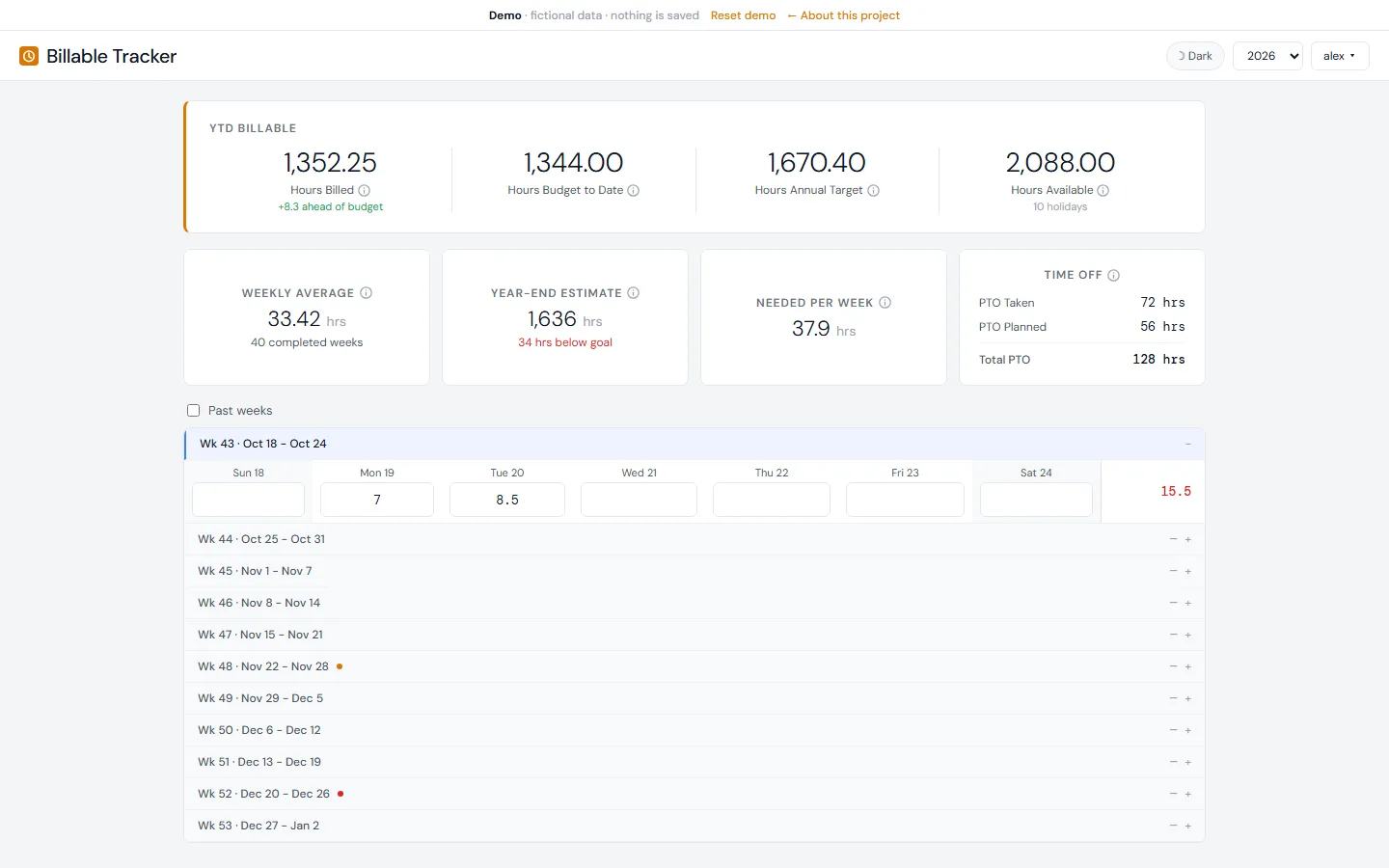
- Use the theme button to switch between dark and light
What It Does
- Week Grid: Sunday-to-Saturday weeks with a cell for each day. Type the hours and it saves as you go, with a flash to confirm each save.
- Holidays: The company holiday calendar is built in, including the rules for holidays that land on a weekend. Holidays show on the grid and count as non-working days in every projection.
- PTO: Mark any day as PTO, past or planned, as a full or partial day. The Time Off card totals what's taken and what's planned.
- Where You Stand: Hours billed against the budget to date, and a weekly average that only counts completed weeks.
- Where the Year Lands: A year-end estimate that combines what's already logged, any hours planned ahead, and your daily average for the days in between, with PTO and holidays left out.
- What It Takes: The hours per week needed to hit the target. Planned PTO raises it, because it removes days you could have billed.
- Settings: A target percentage and a start date for each year, so someone who joins mid-year gets a fair target.
- Accounts: Everyone signs in and sees only their own hours. Password reset works by email, and sign-in is rate-limited.
Screenshots
These come from the demo, so every number is fictional.
Tech Stack
- Frontend: React 18 and TypeScript on Vite. TanStack Query caches the data and applies each save immediately, then rolls it back if the server rejects it.
- Backend: FastAPI with async SQLAlchemy and Pydantic. The backend only stores and returns hours; all of the projection maths runs in the browser.
- Database: PostgreSQL, with every schema change in an Alembic migration. The holiday calendar is seeded by a migration too, so a new environment starts with it.
- Auth: JWTs and bcrypt password hashes, rate limits on sign-in and registration, and a reset flow that never reveals whether an email has an account.
- Hosting: A Docker Compose stack on my TrueNAS server, private to the people who use it. Its database is in the nightly backups.
- How I Built It: With Claude Code, one pull request per change. Small, reviewable changes made it easy to keep shipping while people were already using it.
How It Got Here
Highlights from the project's commit history:
-
2025
The spreadsheet
A sheet per year, a row per week, and a column per day, with a weekly average and utilization against the target. It only looked backward: every formula stopped at today, and every week counted as 40 hours, holidays included.
-
July 18, 2026
The first day
I scaffolded the FastAPI backend and the React frontend, then shipped seven versions the same day: a sign-in gate, the stat cards, holidays on their observed days, dark mode, a per-year start date, and PTO in the projections.
-
July 19
A security pass
Rate limiting, password reset, security headers, and a fix so the sign-in screen no longer revealed which emails had accounts.
-
July 20–22
Getting the maths right
The annual target was inflated in years with 53 weeks, so I switched it to available weekdays. I added the full year-end projection and turned a Planned Hours card into the Time Off card.
-
July 28–31
Holiday-aware projections
The weekly average had been dividing by the wrong number of weeks. I fixed that, made every projection account for holidays, and added available hours to the top card, with tooltips that explain each number.
-
August 2026
Polish from daily use
Fixes from using it every week, like basing the year-end estimate's gap on the full projection instead of the plain pace.
What It Taught Me
- The maths is the product: Most of the important fixes were about what to divide by: 53-week years, weeks with nothing logged, the week that's still in progress. A tracker that's slightly wrong is worse than a spreadsheet, because people trust it.
- Unlimited PTO needs a planning tool: "Take what you need" is generous, but it makes a billable target harder to reason about, not easier. The Time Off card exists because of that.
- Start with the question people ask: The first version answered "am I on track?" Every feature after that came from someone asking a follow-up.
Related Projects
- Family Finance App: The same FastAPI and PostgreSQL stack, with a demo built the same way.
- Office Bets: Another tool I built for coworkers.
- Backups and Restores: How its database is backed up every night.