Family Finance App
The family finance app my wife and I use every day, built to replace Monarch Money
Overview
My wife and I run our household finances on this self-hosted app. It tracks our accounts, the monthly budget, sinking funds, retirement, and Bitcoin, and we both check it from our phones. Of everything on this site, it's the project we use most.
I built it to replace Monarch Money. Monarch handled the basics, but our setup didn't fit it: each of us keeps personal spending money inside one shared savings account, several bills come due once or twice a year, and we plan the budget in a spreadsheet. Paying a monthly subscription to an app meant to help us spend less also felt backwards. I started in April 2026, imported our history from Monarch so the charts didn't start empty, and cancelled the subscription in June.
The real app runs on my TrueNAS server, and only devices on our private network can reach it. The demo below runs the same dashboard code against a made-up household that exists only in your browser.
Try the Demo
 Open the live demo
You're looking at the production dashboard wired to a stand-in API. The API invents a household (Alex, Jordan, and their kid Riley) with fourteen months of transactions.
Add, edit, and delete whatever you like. Nothing you enter leaves your browser, and a reload starts you over. The Bitcoin tab pulls the live price.
- Add a purchase on the Ledger tab and watch its budget line move
- Log a transfer between two accounts
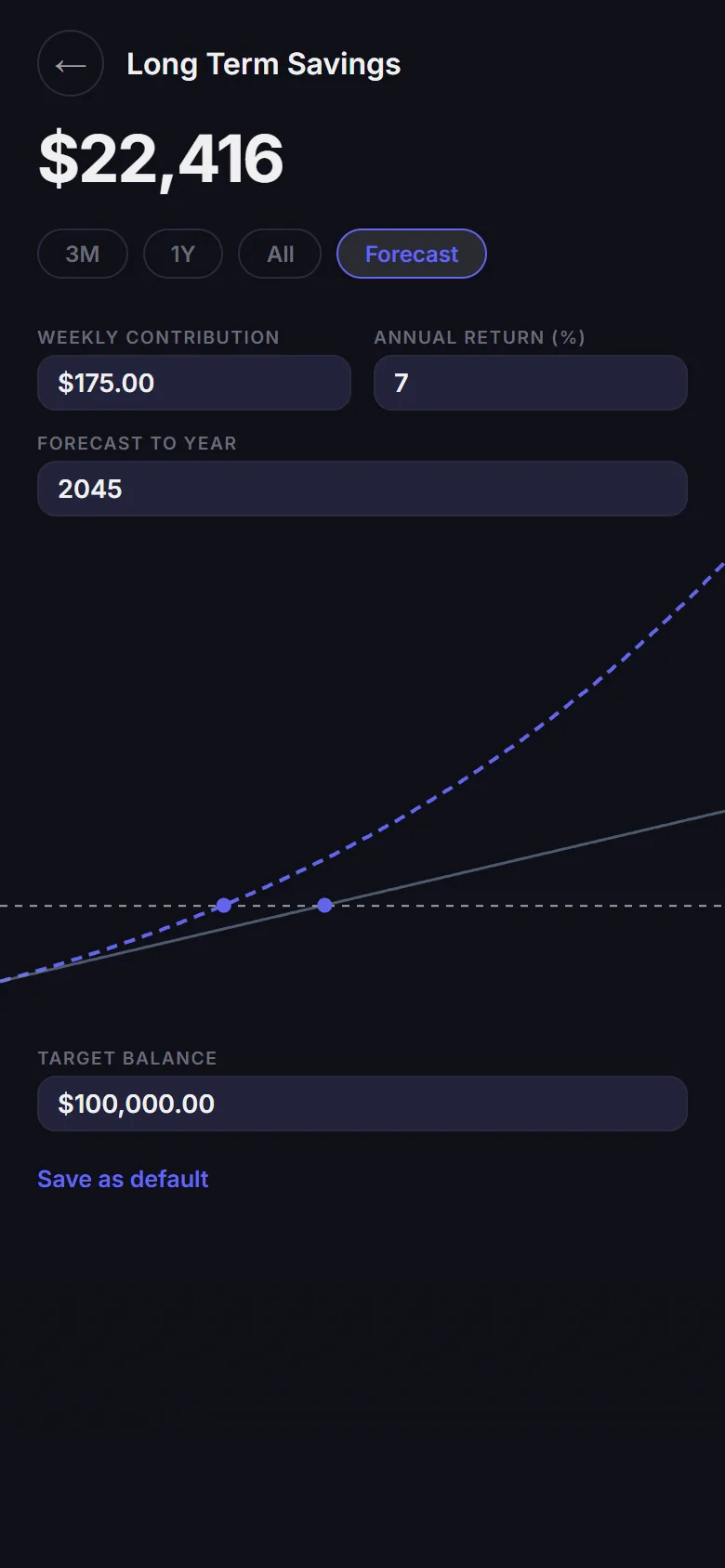
- Open Long Term Savings and switch to Forecast
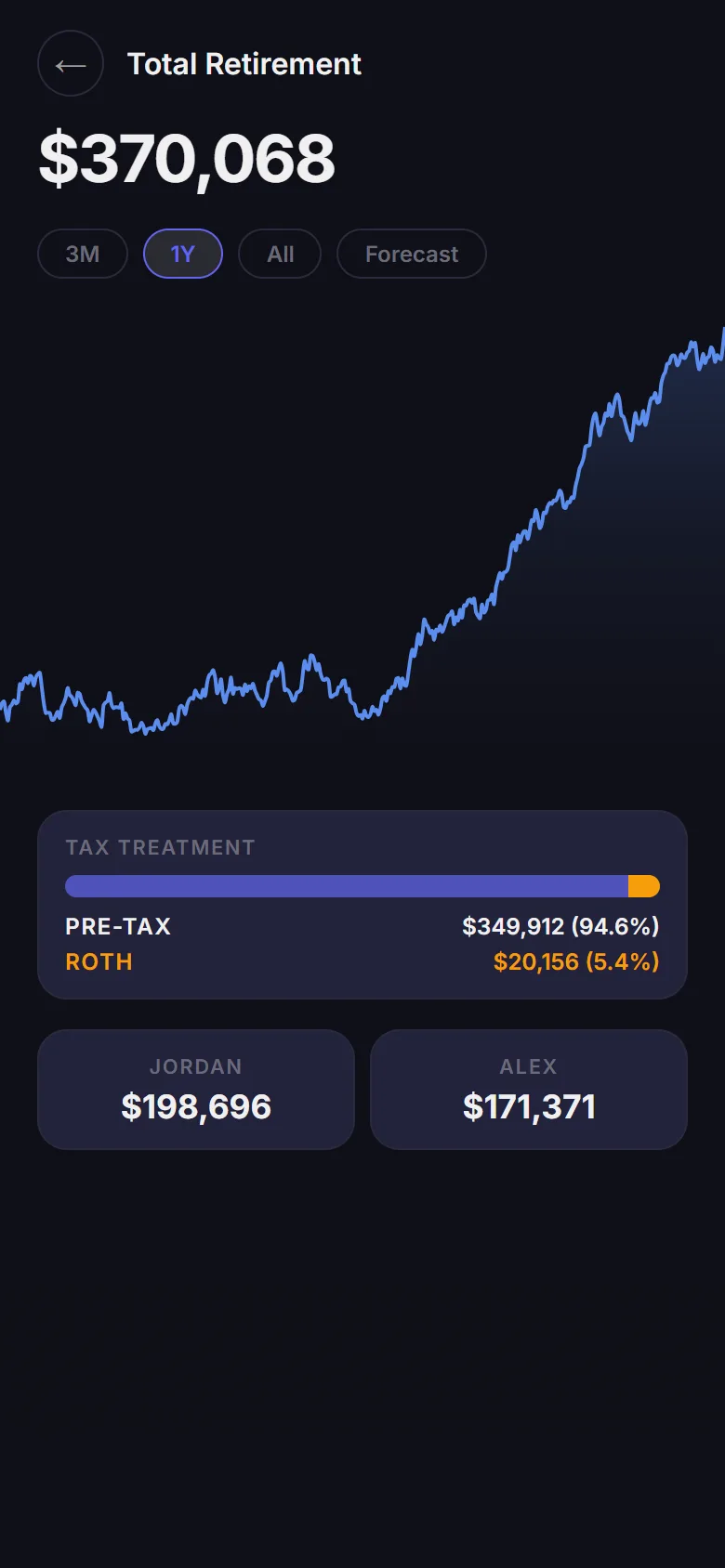
- Tap the retirement total for the pre-tax and Roth split
- Record a Bitcoin buy, then reconcile the wallet balances
What It Does
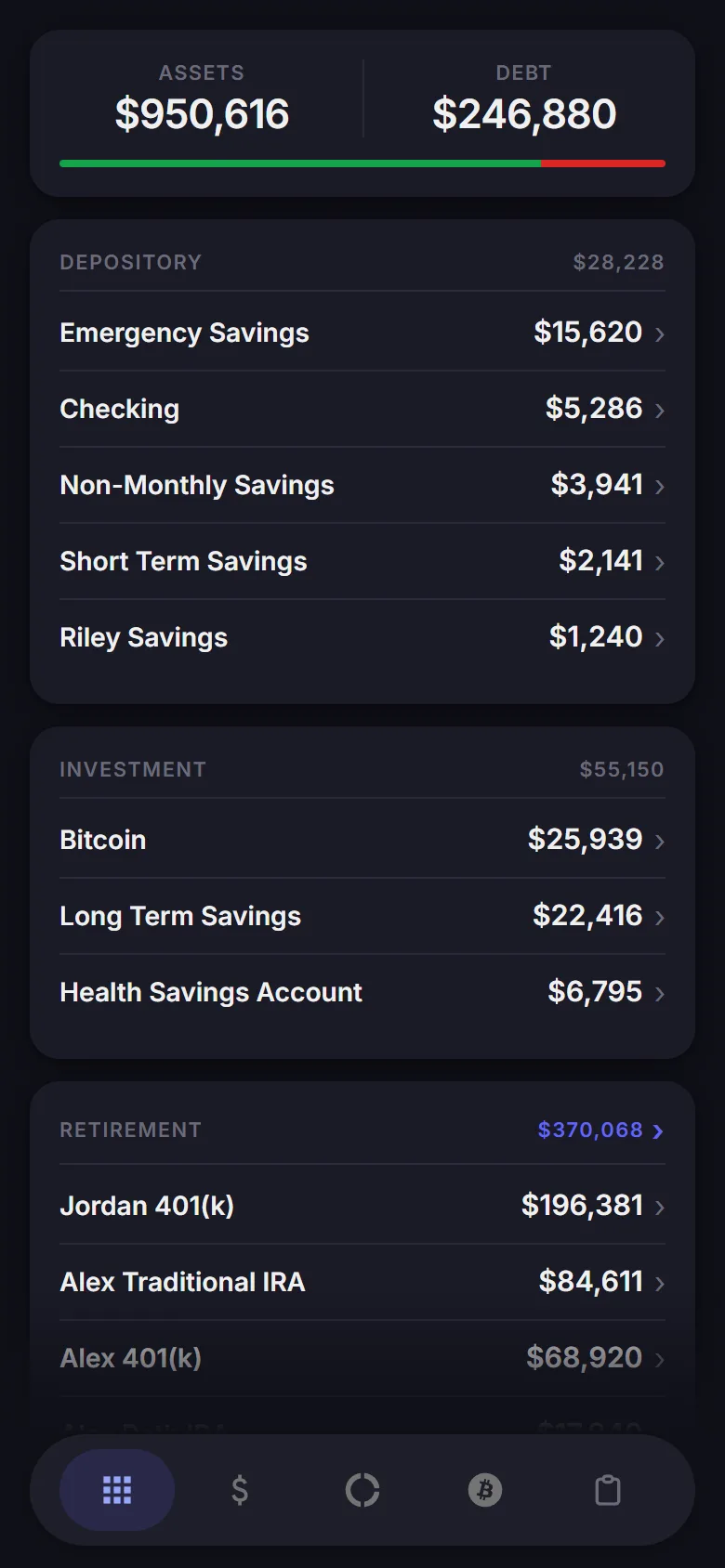
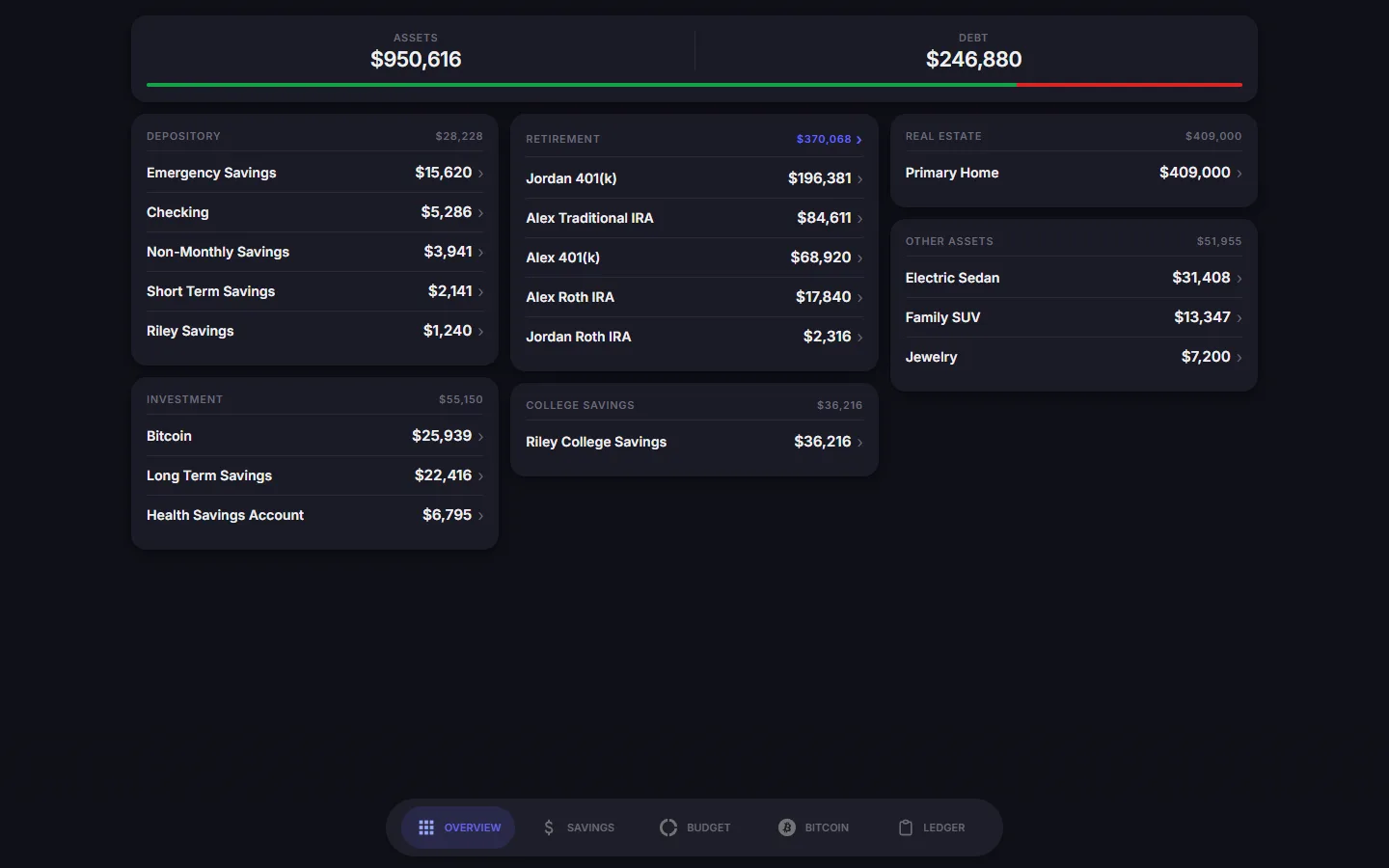
- Overview and net worth: Every account on one screen, grouped the way we think about money: cash, investments, retirement, college, the house, and the cars. A nightly job logs net worth, so I never update the trend chart by hand.
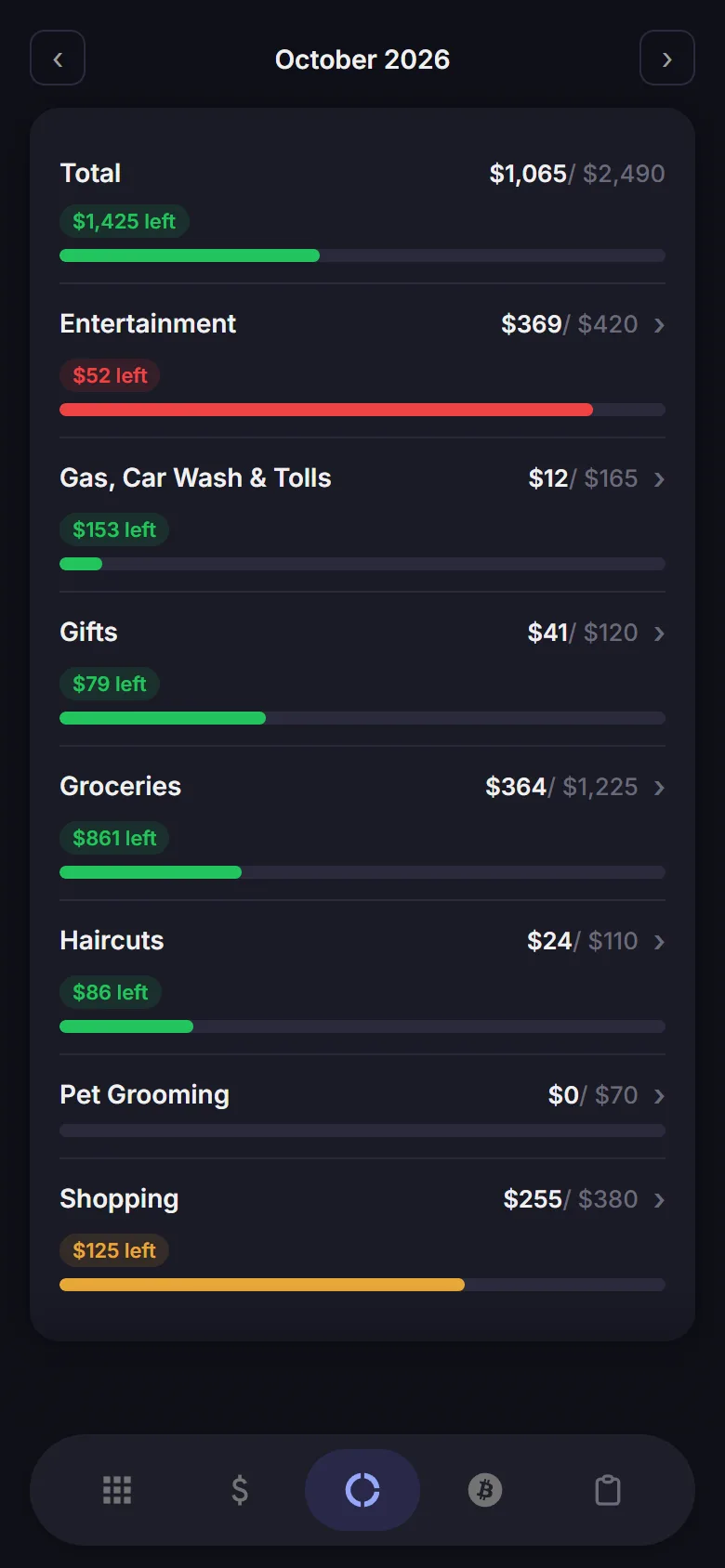
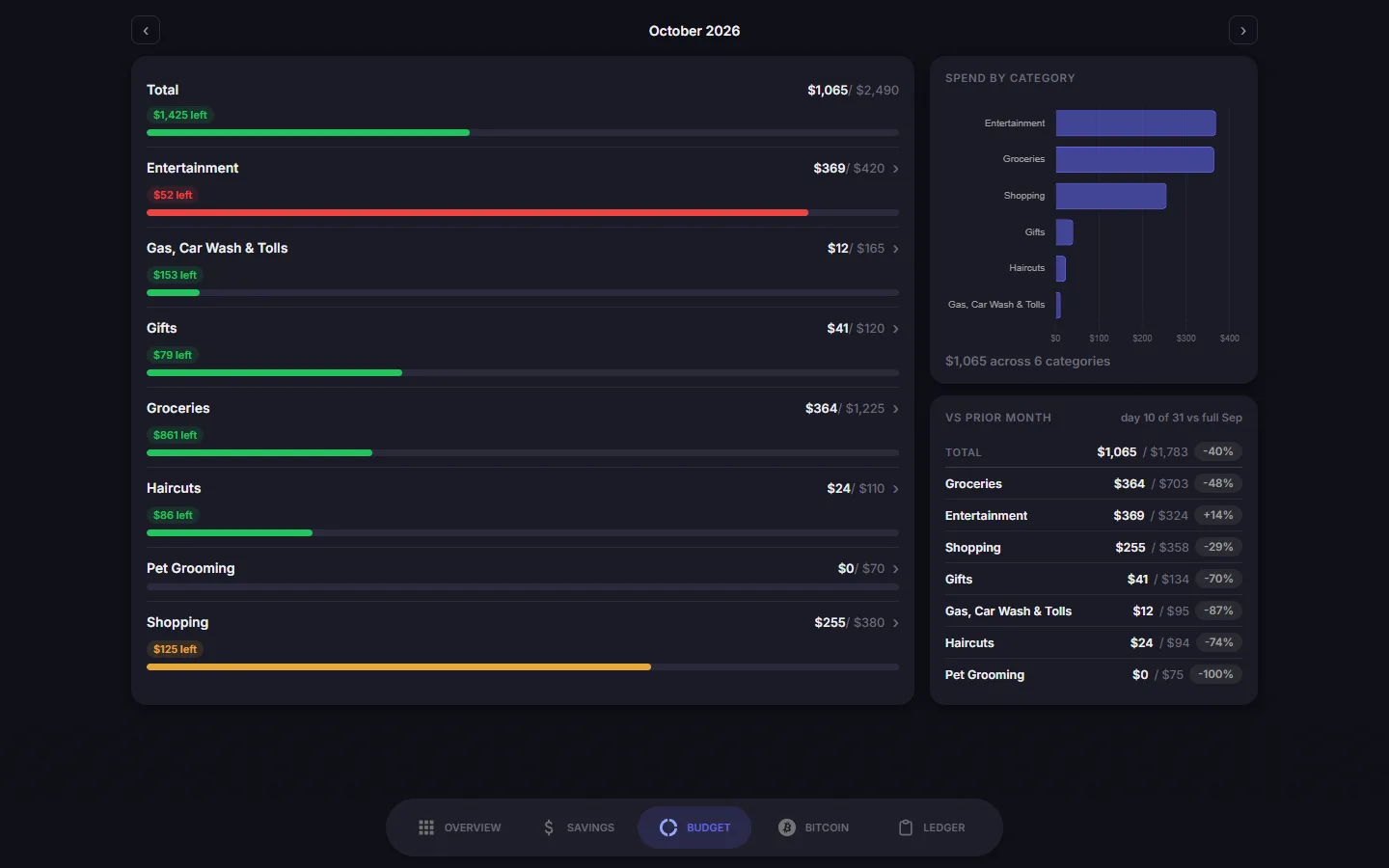
- Budget: Each flexible category shows spending against its target and turns amber, then red, as the month goes on. Tap a line to see the transactions behind it. On a desktop, the screen adds a spend-by-category chart and a comparison with last month.
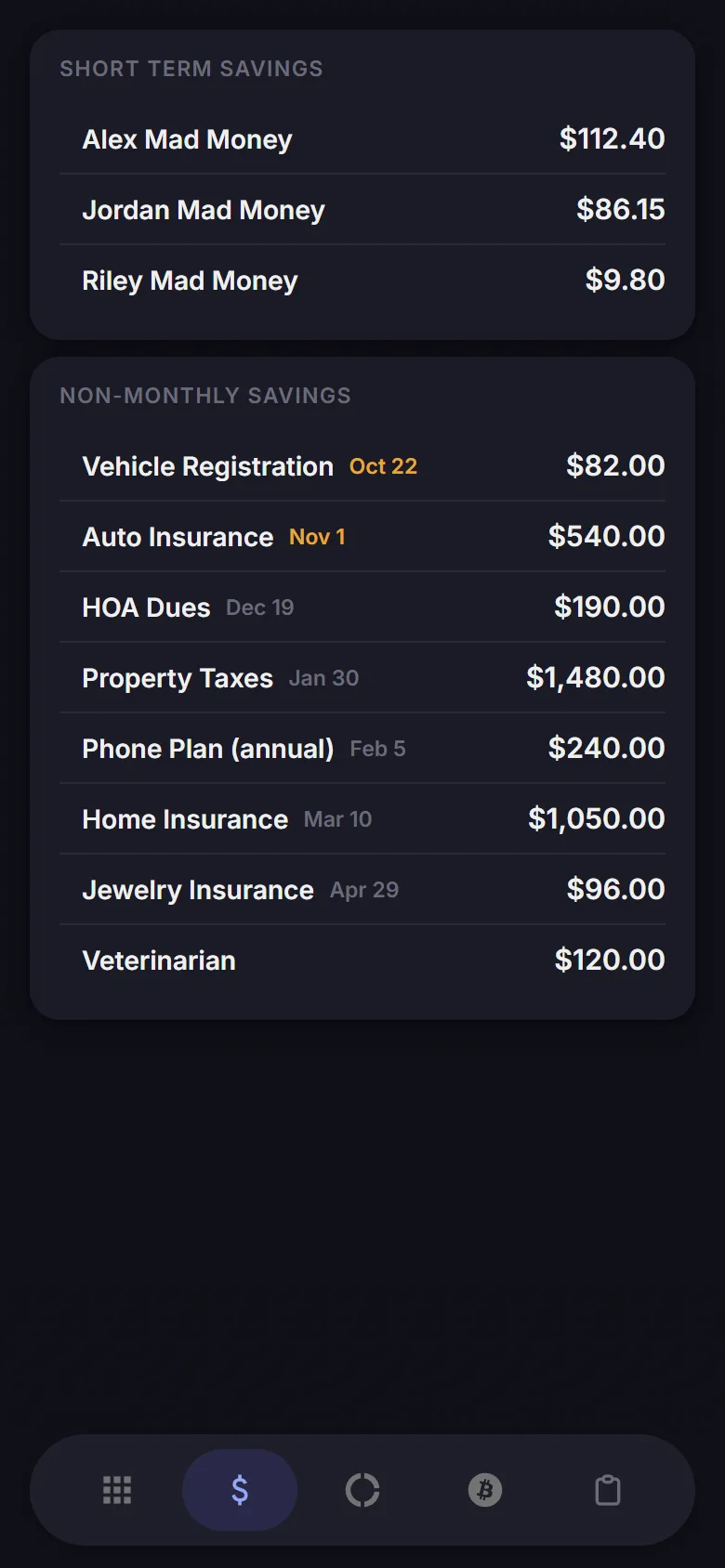
- Savings: Sinking funds for bills that come due once or twice a year, each with a due date and a 30-day lookahead. Each of us also has "Mad Money," personal spending money held inside one shared savings account. The app treats it as the same cash, so net worth counts it once.
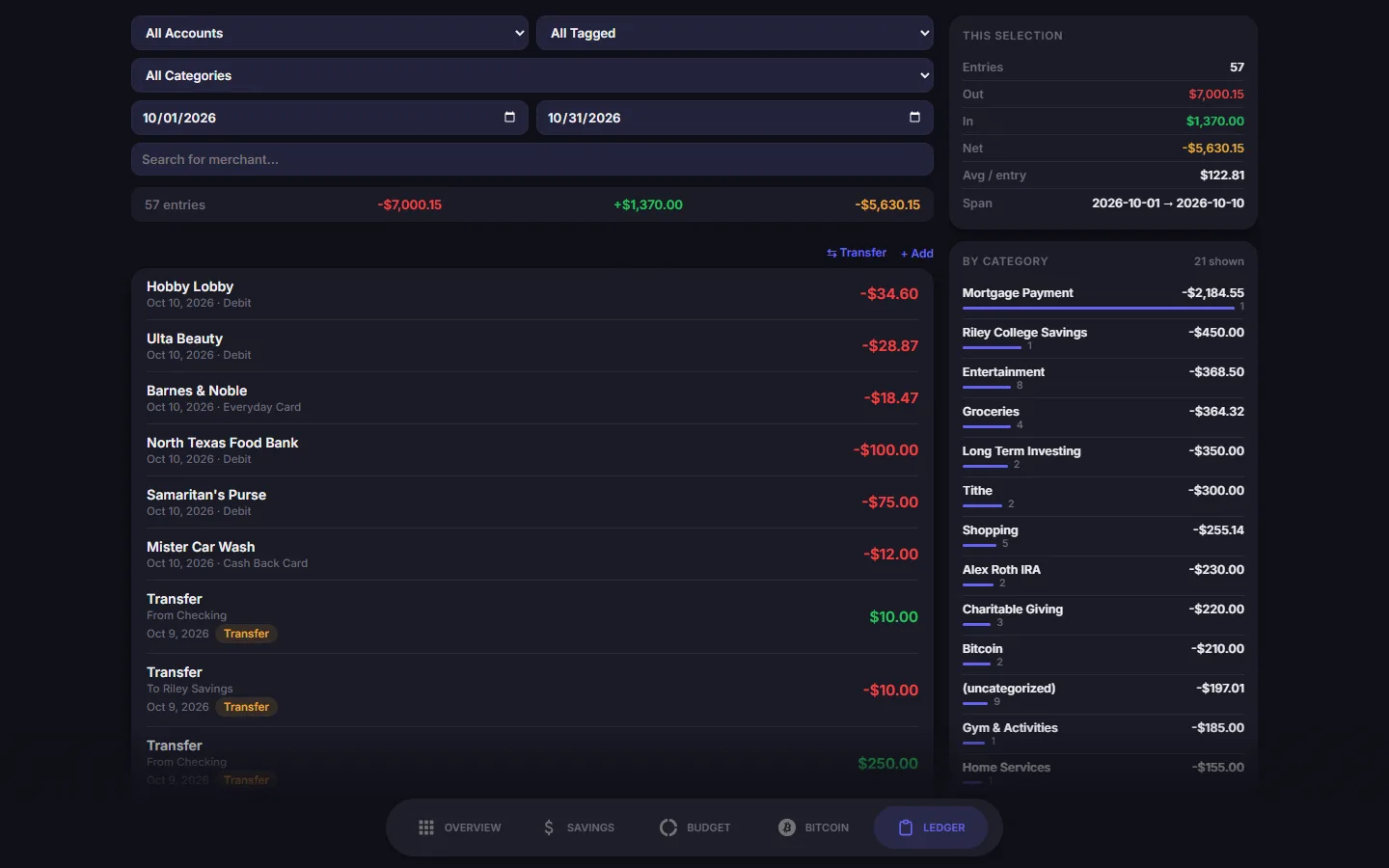
- Ledger: Every transaction, filterable by account, card, category, date range, and merchant. The app stores a transfer as two linked entries and you edit them as one, so the two sides can't disagree.
- Forecasts: Each investment account projects forward from its own inputs: weekly or monthly contributions, salary and employer match for the 401(k)s, and daily buys plus an appreciation rate for Bitcoin. A combined retirement view splits the total into pre-tax and Roth.
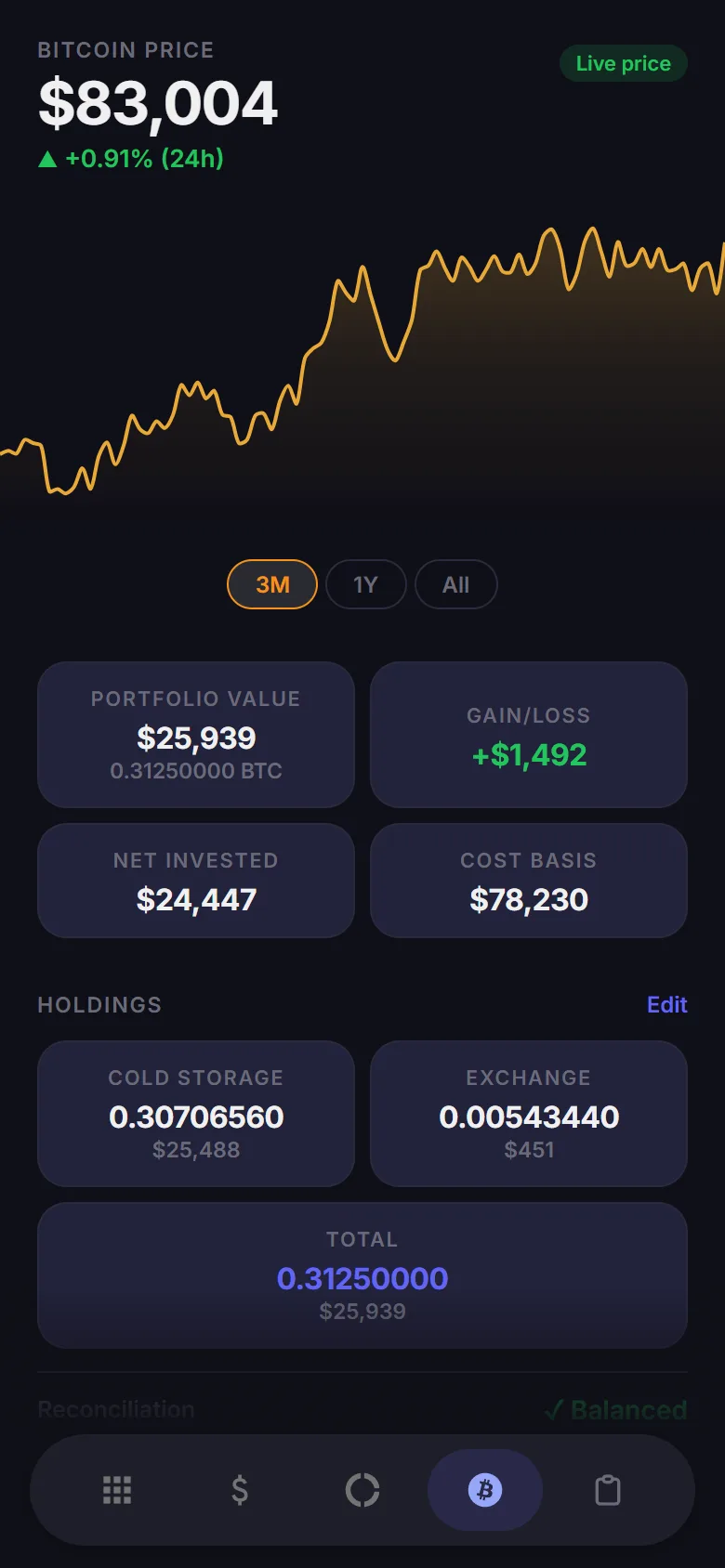
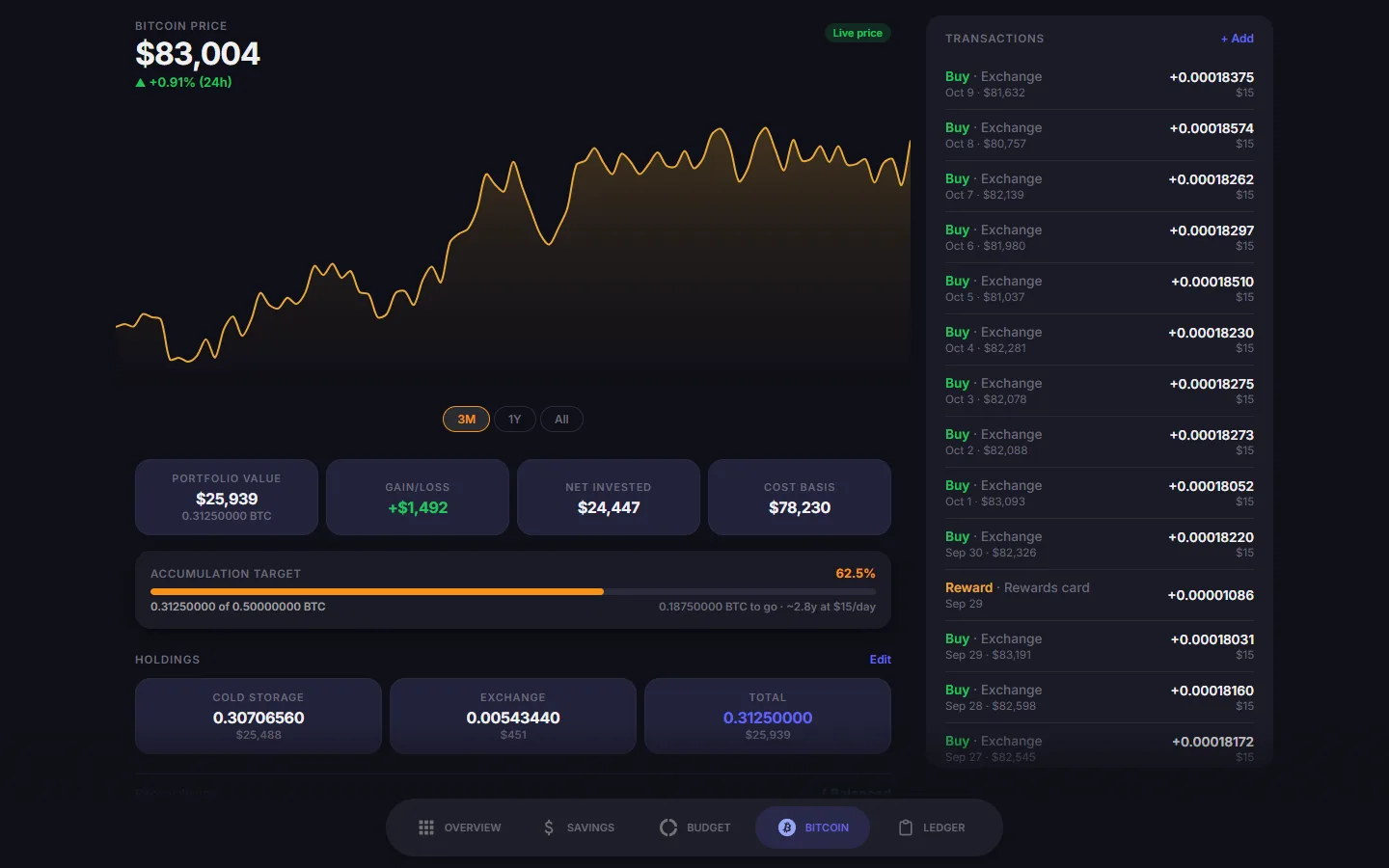
- Bitcoin: A daily dollar-cost-averaging history with cost basis, gain or loss, an accumulation target, and a check that the recorded buys match what the wallets hold.
- Manual entry where automation can't reach: Two providers, an HSA and a 401(k), have unreliable connections, and nothing reads one car's odometer, so each gets a small form on its account screen.
Screenshots
I took these from the demo, so every figure is fictional. We use the app on our phones; the desktop layouts add side rails for charts and stats.
How the Data Gets In
Seven scheduled pollers, a scraper, and a spreadsheet macro fill in most of the numbers:
Two kinds of email alert watch the pipeline. The first fires when a bank feed succeeds but looks wrong: an account vanishes, or a name appears that matches nothing. A bank changing an account's identifier produces that pair, and I built the alert after one did. The second fires when a poller fails two runs in a row. I picked that threshold from the run history: 192 of 195 recorded failures were the same transient bank-feed timeout, and nearly half of the failure streaks cleared by the next run, so alerting on the first failure would have been noise about half the time.
Tech Stack
How It Got Here
Highlights from the project's change log:
-
April 2026
First version
A FastAPI service, a Postgres database, and a single-page dashboard. I imported our Monarch history so the charts had data on day one.
-
May 2026
The first pollers
By the end of May, scheduled jobs updated the mortgage balance, the Bitcoin price, and one car's value from its odometer.
-
June 2026
Account groups, and Monarch cancelled
I remodeled balances as groups of underlying accounts and added a nightly net worth log. Changing banks now means swapping a group's members, and the group keeps its history. We moved banks and consolidated two IRAs that same month, and every poller started logging its runs.
-
July 2026
Manual entry and the first alerts
I split the HSA into cash and invested balances and added manual-entry forms for the accounts with unreliable connections. At the end of the month a bank changed an account identifier in the feed without warning, so I wrote the first feed alerts and the first offline tests.
-
August 2, 2026
Forecasts rebuilt
Weekly contributions now compound weekly, where the old code converted them to a monthly figure, and forecast inputs keep their cents.
-
August 10–23, 2026
The big data-model migration
One ledger column held three different things: the real account, the budget category, and the savings envelope. I split it into three columns, moving every reader first, then every writer, and dropped the old column last. Envelopes and forecast types moved out of hard-coded dashboard lists into the database. I also deleted a "net contributed" feature, since the custodians' statements do that job better.
-
August 28, 2026
Failure alerts for every poller
All seven pollers now email me when they fail twice in a row, a threshold I set from the run history.
-
October 2026
A public demo
I added a build step that turns the dashboard into the self-contained demo on this page.
What It Taught Me
- Deleting: The three largest August changes each ended by removing something: an overloaded column, a feature that duplicated the custodians' statements, and hard-coded lists that no longer matched the database.
- Migration order: I once scheduled a new database rule to ship before the code that satisfied it, which would have broken three live operations. Checking every writer against the rule caught it before deploy, and the two shipped together.
- Verifying deploys: I confirm a deploy by hashing the files inside the running container. A check that returns the same answer before and after a change can't tell you which version is live.
- Documentation: The project's docs correct mistakes in place and keep the original text, so a wrong assumption stays visible next to its fix.
Related Projects
- TrueNAS Server Build: The server it runs on, reachable only over Tailscale.
- Home Assistant: Budget and net worth dashboards on the home automation side.